
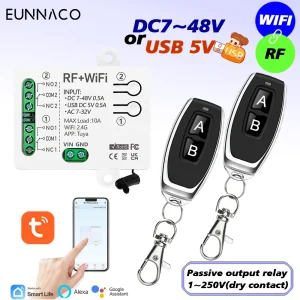
RF TUYA WiFi commutateur intelligent DC 12 V 24 V 48 V 2CH relais de contact sec commutateur de télécommande sans fil pour Google Home Alexa, pour lampe/moteur/système de porte de garage/commutateur bricolage…
Paramètre technique
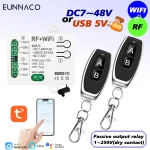
▶Récepteur WiFi+RF :
Canne : 2 canaux
Tension : USB Type-C 5V ou DC 7-48V ou AC 7-32V
Relais Courant maximum : 10A
Puissance en veille : <10 mA
Type de sortie : Sortie passive 1-250V contact sec
WiFi :IEEE 802.11 b/g/n 2,4 GHz
Contrôle RF : 433 MHz
Température de fonctionnement:-30~+80℃
Prise en charge APP : Tuya / Smart Life
Taille : 65*50*24 mm
▶ Télécommande RF433mhz
Encodage de support : 1527 Code penché
Distance à distance : jusqu’à 50 m (distance théorique)
Batterie : 2*CR2016 (incluse)
Fréquence RF : 433 MHz
Taille : 30*60m*10 mm
Modulation : ASK
Avantages
▶Relais de contact sec à 2 canaux 1 ~ 250 V
• Large gamme d’applications, peut être utilisée pour connecter des lumières/moteurs DC et AC/systèmes de portes de garage, etc.
• Conception à 2 canaux, chaque canal peut contrôler indépendamment une lumière ou une direction du moteur.
▶Contrôle WiFi et RF
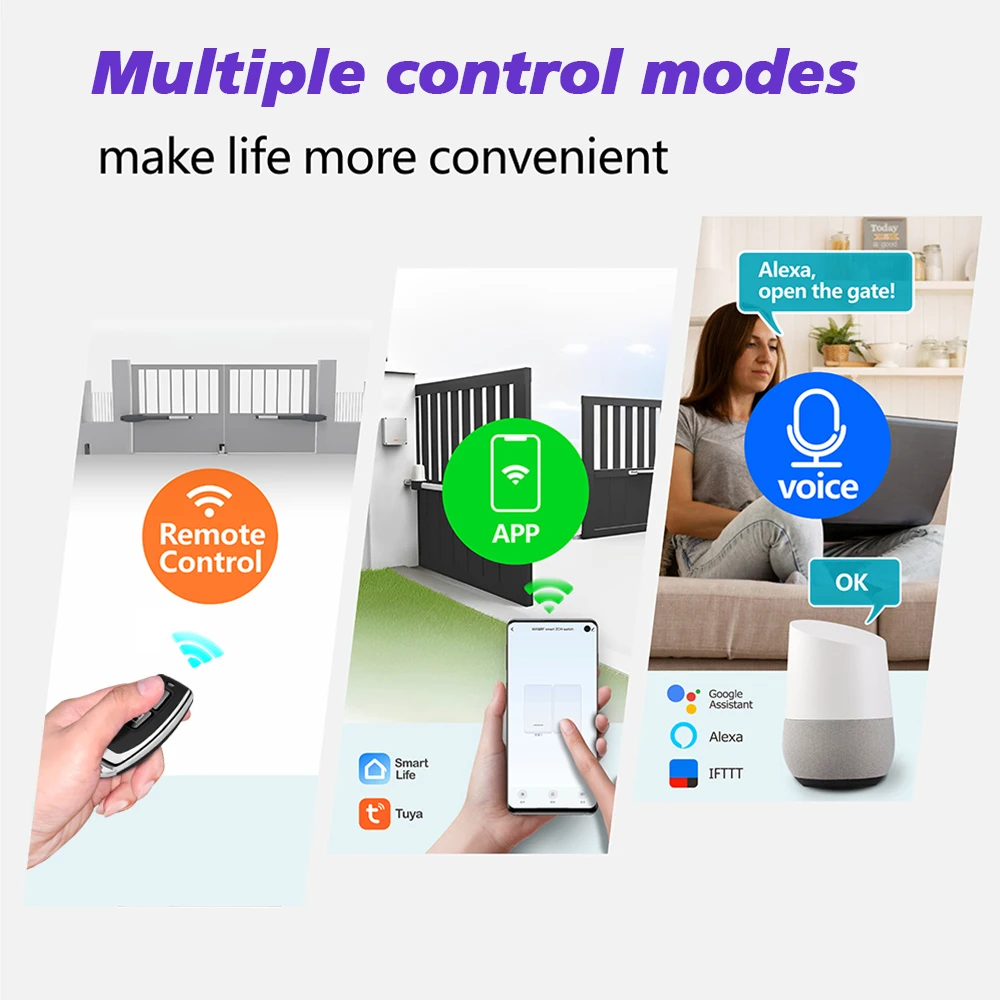
Il prend en charge 3 méthodes de contrôle :
•Contrôle d’application Tuya ou Smart Life
• Télécommande RF433MHZ
•Contrôle vocal.
▶3 modes d’alimentation en entrée
L’alimentation USB Type-C 5V ou DC 7-48V ou AC 7-32V est disponible
▶Faites n’importe quel appareil un appareil Internet
• Peut être utilisé pour transformer les interrupteurs à bouton ou les télécommandes pour transformer l’appareil dans un appareil Internet et atteindre l’intelligence.
▶Contrôle APP :
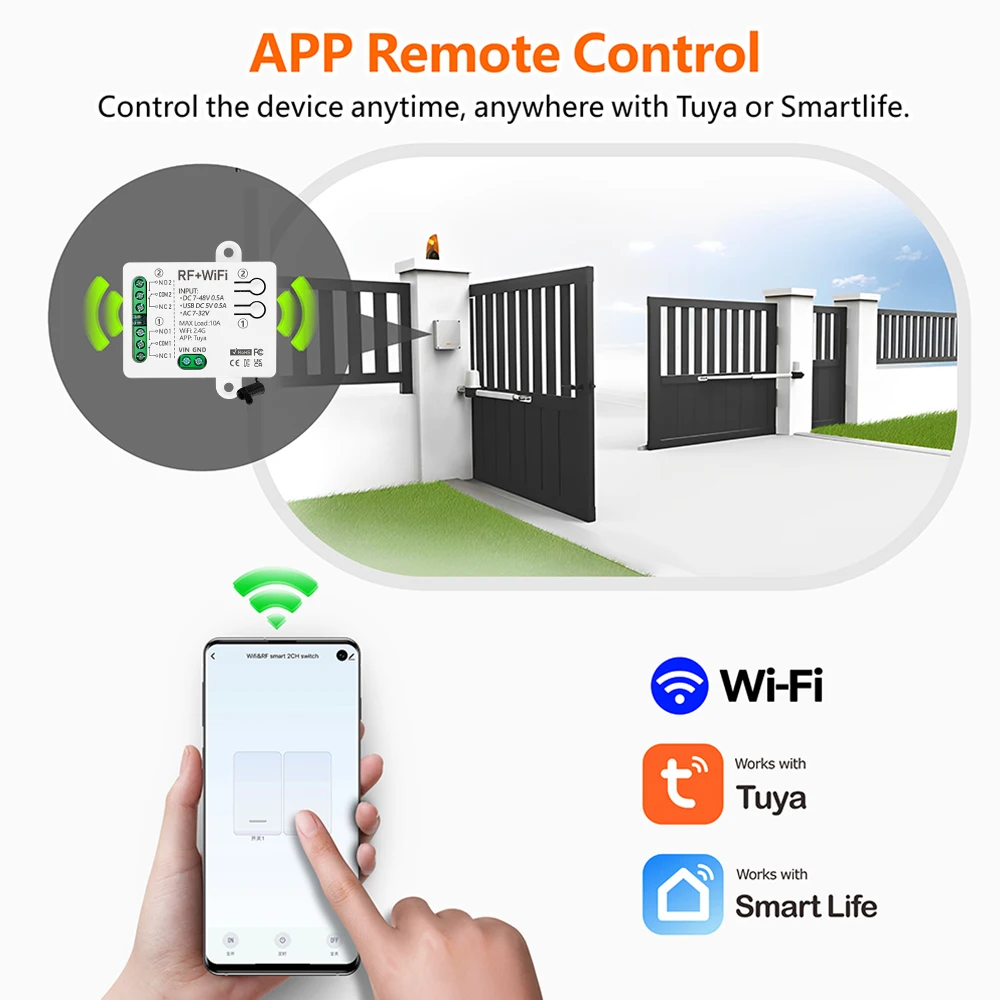
Après l’appariement avec l’APP, vous pouvez contrôler ce commutateur (fonction wifi) sur l’application Tuya/Smart life partout et partout
▶Télécommande RF433MHZ :
Le récepteur prend en charge le contrôle de la télécommande RF433MHZ et la plage de contrôle peut atteindre 50 m dans des zones ouvertes.
▶Commande vocale :
Fonctionne avec Alexa, Google home, etc.et peut être contrôlé par la voix.
▶Fonction de synchronisation :
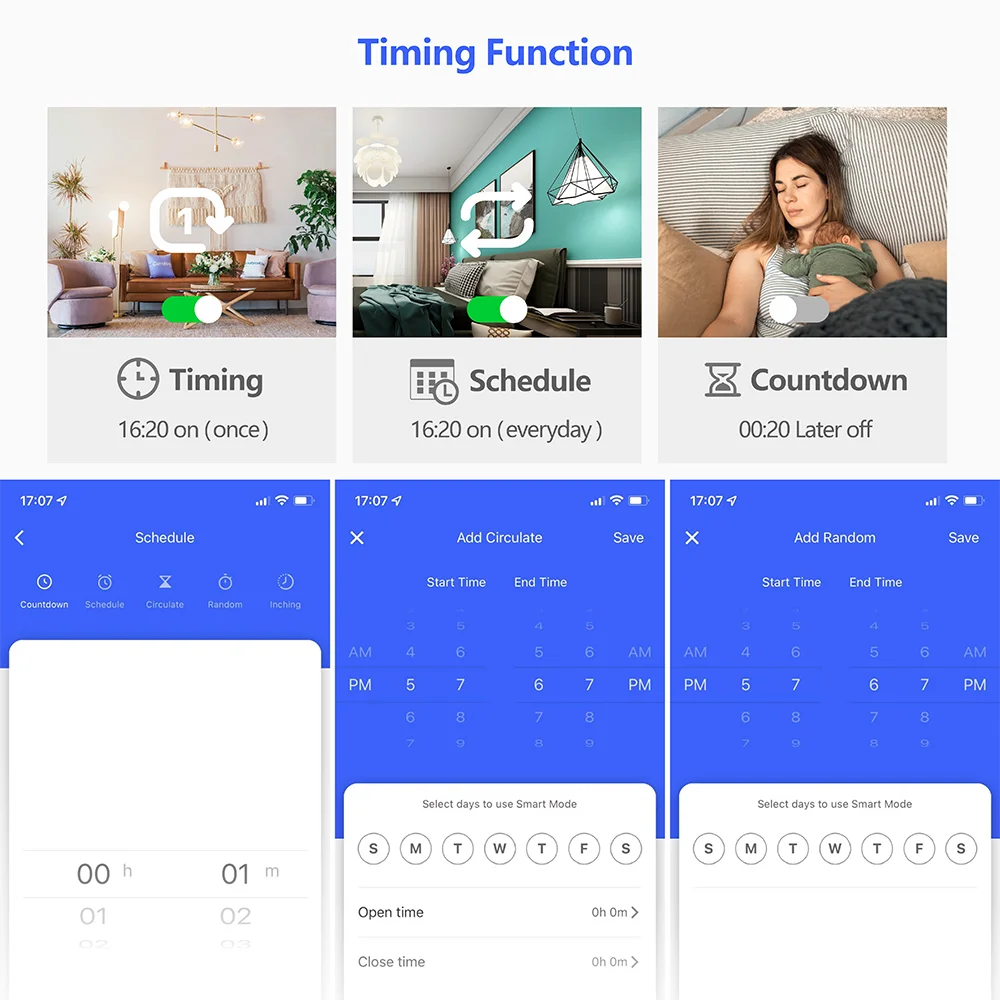
Vous pouvez définir des minuteries/compteurs/horloges ou créer des scénarios d’utilisation, par exemple que vous pouvez définir des lumières pour allumer automatiquement le crépuscule et éteindre l’aube.
▶Contrôle de groupe :
Par exemple, toutes les lampes intelligentes peuvent être réglées en groupe et éteint avec un clic.Un interrupteur intelligent peut être contrôlé par plusieurs téléphones mobiles.Partagez-le avec votre famille et faites-le facile pour tout le monde contrôler.Idéal pour les lumières difficiles d’accès sans interrupteur.
Câblage
Comment utiliser
●Vous devez connecter avec l’alimentation et les appareils d’abord. Décharger l’APP
●PAIRING avec APP
1Your téléphone a été connecté à Wi-Fi 2,4 GHz.Et allumer le Bluetooth.
2Le module WiFi+RF sera automatiquement dans l’État du « Paring Network ». lorsque l’indicateur bleu LED clignotant après mise sous tension.(Si non, veuillez réinitialiser l’appareil d’abord.Pressage et maintien du bouton d’appariement sur le module WiFi+RF environ 10 secondes jusqu’à ce que l’indicateur bleu LED clignotant.Que signifie l’appareil est dans l’État du « Paring Network » )
3Applications « Tuya » ouvertes.
4Le l’icône du module « WiFi+RF » apparaître sur l’interface APP et puis fonctionne selon les promptes sur l’interface APP.(Si non, cliquez sur ‘+’, Encontre l’icône « switch (WiFi) dans la catégorie »électrique ».
●Emparelhaire avec télécommande RF
Étape 1.Cliquez sur le bouton d’appariement 1 2 fois rapidement, l’indicateur rouge éclairée.
Étape 2.Premez le bouton « A » sur la télécommande, l’indicateur rouge clignote plusieurs fois et puis éteint.Donc, le bouton « A » peut contrôler le 1er canal.
Remarque : le 2ème canal suivez le même au-dessus de l’opération.
●Comment supprimer le signal RF :
Appuyez sur le bouton d’appariement « 1 » 8 fois,après supprimer le signal, tous les relais ne seront pas contrôlables par la télécommande,
Vous devez réparer le récepteur avec la télécommande à nouveau avant de mettre dans le service.
Désactivation des dépannages (FAQ)
Q : Après l’appareil est sucessement ajouté, pourquoi l’affichage de l’application qui c’est hors ligne et ne peut pas contrôlé?
A : Après l’appareil est ajouté avec succès, il doit 1-2 minutes pour connecter le réseau. Si il n’est pas encore en ligne après une longue période, veuillez vérifier l’indicateur Wi-Fi pour déterminer l’état du dispositif :
L’indicateur LED bleu continuer, cela signifie que l’appareil est connecté à WiFi, mais non connecté à Internet
1Maybe entendu le mot de passe Wi-Fi incorrect.
2Chaussez le routeur a une quantité de chargement Wi-Fi maximale, veuillez ne pas exceder la quantité de charge maximale du routeur, sinon il déplacerai le dispositif Wi-Fi.
3Il peut être que l’appareil est trop loin de votre routeur, le signal est trop faible, ou l’environnement a une interférence. Veuillez mettre l’appareil proche de l’abord le routeur, si il n’y a pas d’amélioration, veuillez couper l’alimentation et réajouter.
4Le appareil ne peut pas reconnaître le Wi-Fi 5G, veuillez sélectionner le Wi-Fi 2.4G pour la réexpédier.
5Me vous renseigner sur le filtrage d’adresse Mac n’est pas responsable dans vos paramètres du routeur. Veuillez entrer les paramètres du routeur pour transformer le filtrage de l’adresse Mac.
6 Veuillez confirmer si votre réseau de connexion WiFi est stable et normal. lf le réseau est normal, veuillez mise hors tension et réparer le dispositif.
* Si vous ne comprenez pas clairement. Veuillez nous envoyer un message pour nous connaître. Nous préparons notre meilleur à servir chacun sur nos clients. Profitez de vos achats! ** Nous avons notre propre usine. Veuillez nous connaître si vous avez quelques projets OEM. Nous sont disposés pour obtenir une coopération avec vous. *




RF TUYA WiFi smart switch DC 12V 24V 48V 2CH dry contact relay wireless remote control switch for Google Home Alexa ,for Lamp/Motor/Garage door system/Switch DIY…..
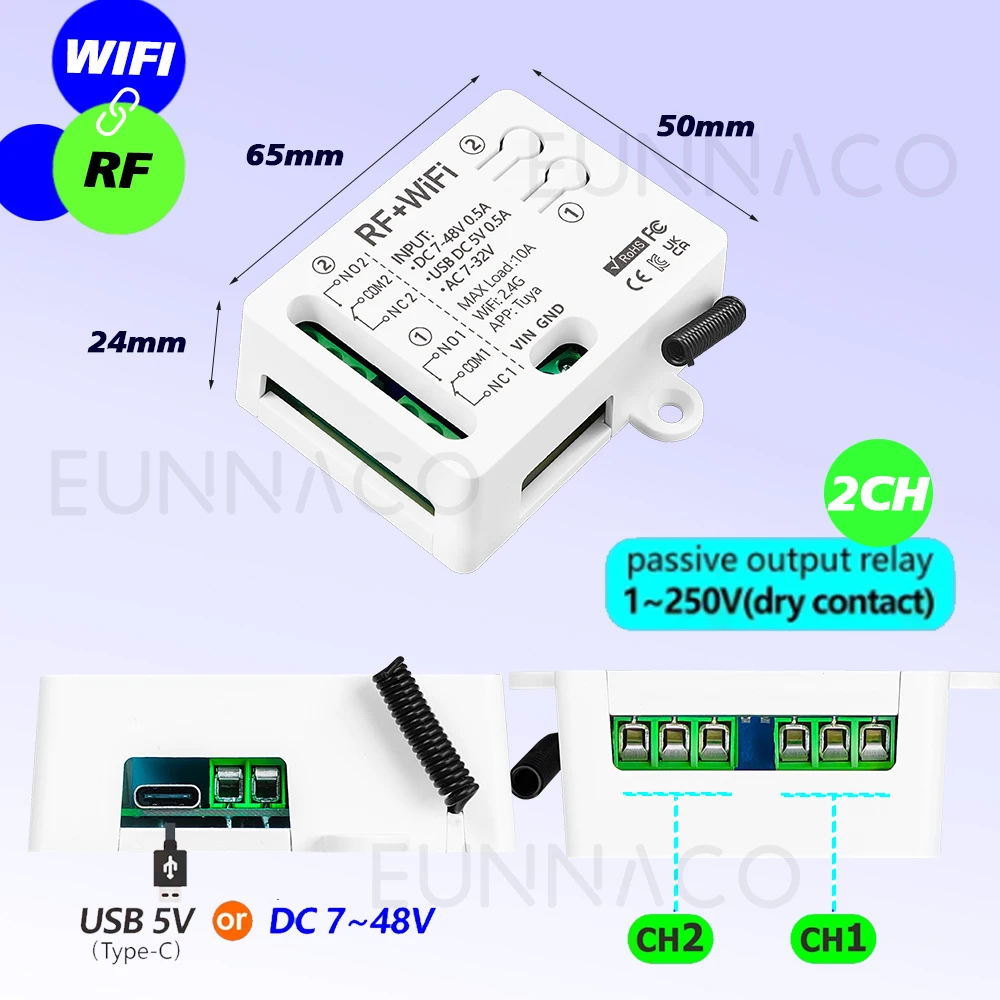
Technical parameter
▶WiFi+RF receiver:
Channle: 2 channels
Voltage: USB Type-C 5V or DC 7-48V or AC 7-32V
Relay Max current: 10A
Standby power:<10 mA
Output type:Passive output 1-250V dry contact
WiFi:IEEE 802.11 b/g/n 2.4GHz
RF Control:433MHz
Working temperature:-30~+80℃
Support APP:Tuya / Smart Life
Size: 65*50*24 mm
▶
RF433mhz Remote Control
Support encoding : 1527 Leaning code
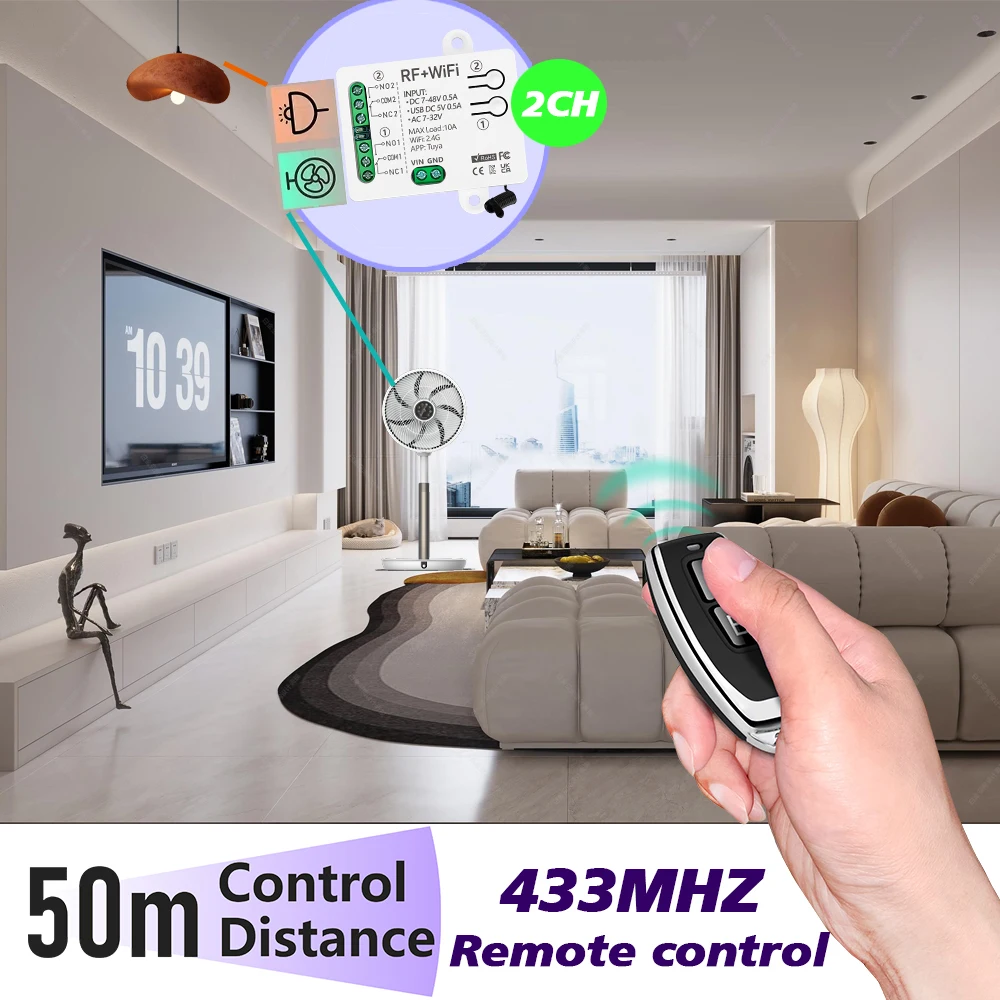
Remote distance : up to 50m (theoretical distance)
Battery : 2*CR2016 (included)
RF frequency : 433MHz
Size :30*60m*10 mm
Modulation : ASK
Advantages
▶1~250V 2-Channels Dry Contact Relay
•Wide range of applications, can be used to connect lights/DC and AC motors/garage door systems, etc.
•2-channel design, each channel can independently control a light or a direction of the motor.
▶WiFi and RF control
It supports 3 control methods:
•Tuya or Smart life APP control
•RF433MHZ remote controller
•Voice control.
▶3 input power modes
USB Type-C 5V or DC 7-48V or AC 7-32V power supply are available
▶Make any device an Internet device
•It can be used to transform button switches or remote controls to turn the device into an Internet device and achieve intelligence.
▶APP control:
After pairing with the APP, you can control this switch (wifi function) on the Tuya/Smart life APP anytime and anywhere
▶RF433MHZ remote controller:
The receiver supports RF433MHZ remote controller control, and the control range can reach 50m in open areas.
▶Voice control:
Works with Alexa, Google home, etc. and can be controlled by voice.
▶Timing function:
You can set timers/countdowns/schedules or create usage scenarios, for example you can set lights to automatically turn on at dusk and turn off at dawn.
▶Group control:
For example, all smart lamps can be set as a group and turned off with one click. One smart switch can be controlled by multiple mobile phones. Share it with your family and make it easy for everyone to control. Great for hard-to-reach lights without a switch.
Wiring
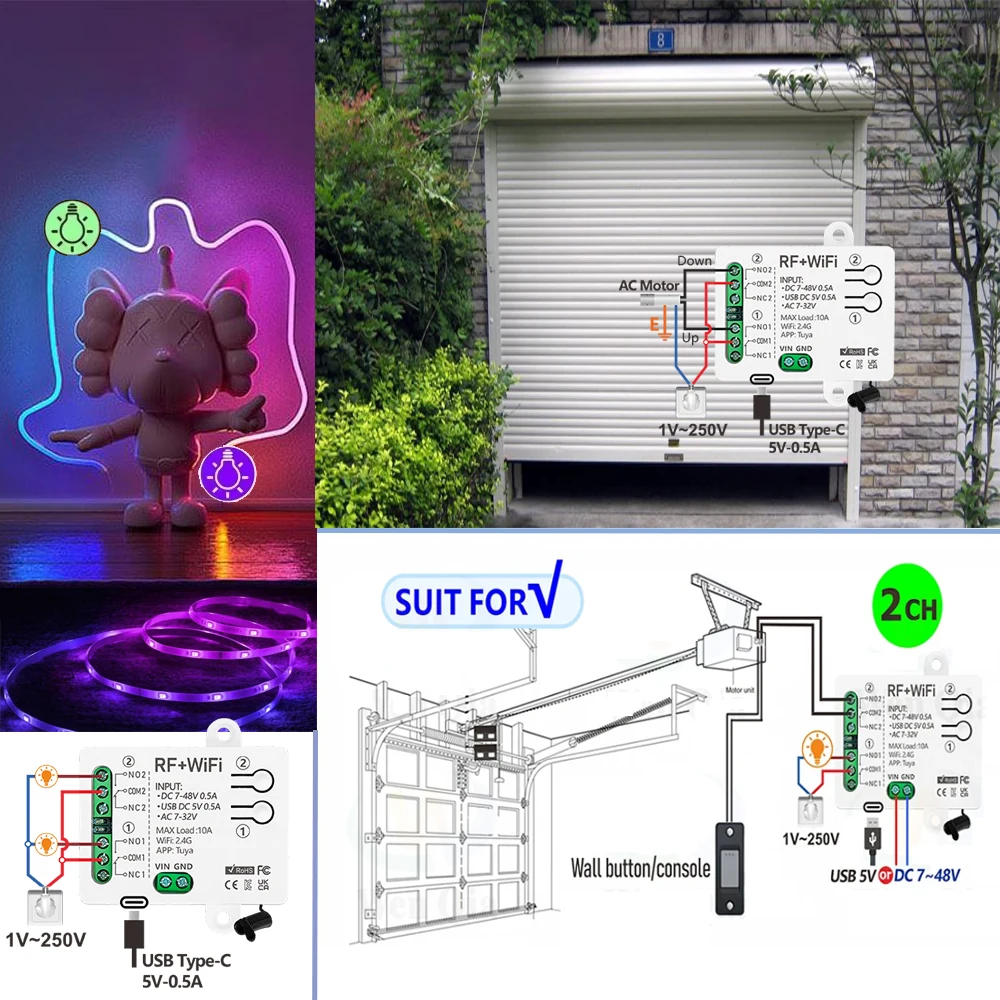
●You need to connect with power and devices first.Download APP

●PAIRING with APP
①Your phone has been connected to 2.4GHz Wi-Fi. And turn on the Bluetooth.
②The WiFi+RF module would automatic be in the ‘Pairing Network state’ .when the blue indicator LED flashing after power on. ( If no, please reset the device firstly. Pressing and hold the pairing button on the WiFi+RF module about 10 seconds until the blue indicator LED flashing. Which means the device is in the ‘Pairing Network state’ )
③Open "Tuya" APP.
④The "WiFi+RF" module icon will appear on the APP interface, and then operate according to the prompts on the APP interface. ( If no, click ‘+’, Find "switch (WiFi) " icon in the"electrical"category.
●Pairing with RF remote control
Step 1. Click the pairing button ① 2 times quickly, the red indicator will light up.
Step 2 .Press the button"A"on remote control ,the red indicator will flash several times and then turn off. So, button "A" can control 1st channel.
Note: the 2nd channel follow the same above operation.
●How to delete RF signal:
Press the pairing button "①" 8 times,After delete the signal, all relays will not be controllable by the remote control,
You need to pair the receiver with the remote control again before putting them into service.
Troubleshooting (FAQ)
Q: After the device is successfully added, why does App display that it’s offline and can’t be controlled?
A: After the device is added successfully, it needs 1-2 minutes to connect the network. If it is still not online after a long time, please check Wi-Fi indicator to determine device status:
Blue indicator LED keep off,it means that the device is connected to WiFi ,but not connected to the internet
①Maybe entered incorrect Wi-Fi password.
②Each router has a maximum Wi-Fi loading quantity, please do not exceed the maximum loading quantity of the router, otherwise it will cause the Wi-Fi device to drop.
③It may be that the device is too far away from your router, the signal is too weak, or the environment has interference. Please put the device close to the router first, if there is no improvement, please cut off the power and re-add.
④The device cannot recognize 5G Wi-Fi, please select 2.4G Wi-Fi to re-add it.
⑤Make sure Mac address filtering is not enabled in your router settings.please enter the router settings to turn the Mac address filtering off.
⑥ Please confirm whether your WiFi connection network is stable and normal. lf the network is normal, please power off and restart device.
* If you do not understand clearly. Please send us a message to let us know. We will do our best to service each of our customers. Enjoy your shopping! *
🔧 Caractéristiques techniques:
- Control method: Tuya Smart life+RF remote + Voice
- Application: Light/Switch DIY/Garage Door System/Motor/Water Pump/Household Applian
- Support APP: Tuya and Smart Life
- Working voltage: USB Type-C 5V or DC 7-48V /AC 7-32V
- Input/Output Voltage: 1-250V Dry Contact
- Channel: 2 channel
- WiFI standard: 802.11 b/g/n 2.4GHz
- RF frequency: 433.92 MHz
- Max current: 10A
- Work with: Alexa Google Home IFTTT
- Receiver module size: 65*50*24 mm
- Remote size: 30*60*10 mm
- Remote battery: 2*CR2016(included)
- Support Platform: Android 5.0 & IOS 10 or higher
- Features: Group control
- Features2: Timing function
- Features3: Inching mode
- Nom de marque: EUNNACO
- Numéro de Modèle: 2402W
- Communication Sans fil: RF
- Communication Sans fil: Wi-Fi
- Paquet: Oui
- Utiliser: Universel
- Utiliser: Éclairage
- Utiliser: Porte électrique
- Utiliser: SWITCH
- Produit chimique à haute préoccupation: Aucun
- Canal: 2
- Fréquence: 433 Mhz
- Origine: CN (Origine)
- Supporte l’APP: Oui
- Certification: CE
- Certification: ROHS
- Choice: yes
- semi_Choice: yes
📦 Informations de livraison:
- Poids: 0.200 kg
- Dimensions: 10x10x10 cm
⏱️ Délai de livraison estimé: 7 jours



Avis
Il n’y a pas encore d’avis.